 Neoclouds
 Neocloud Users
 AI Data Centers
 Enterprise Data Centers
 Visibility & Posture
 Verify Rented Capacity
 Risk Prioritization & Hardening
 Red Teaming & Pen Testing
 Runtime Detection & Response
 Compliance & Audit Readiness
 Blog
 Learn
 FAQ
 BMC Exposure
 Learn



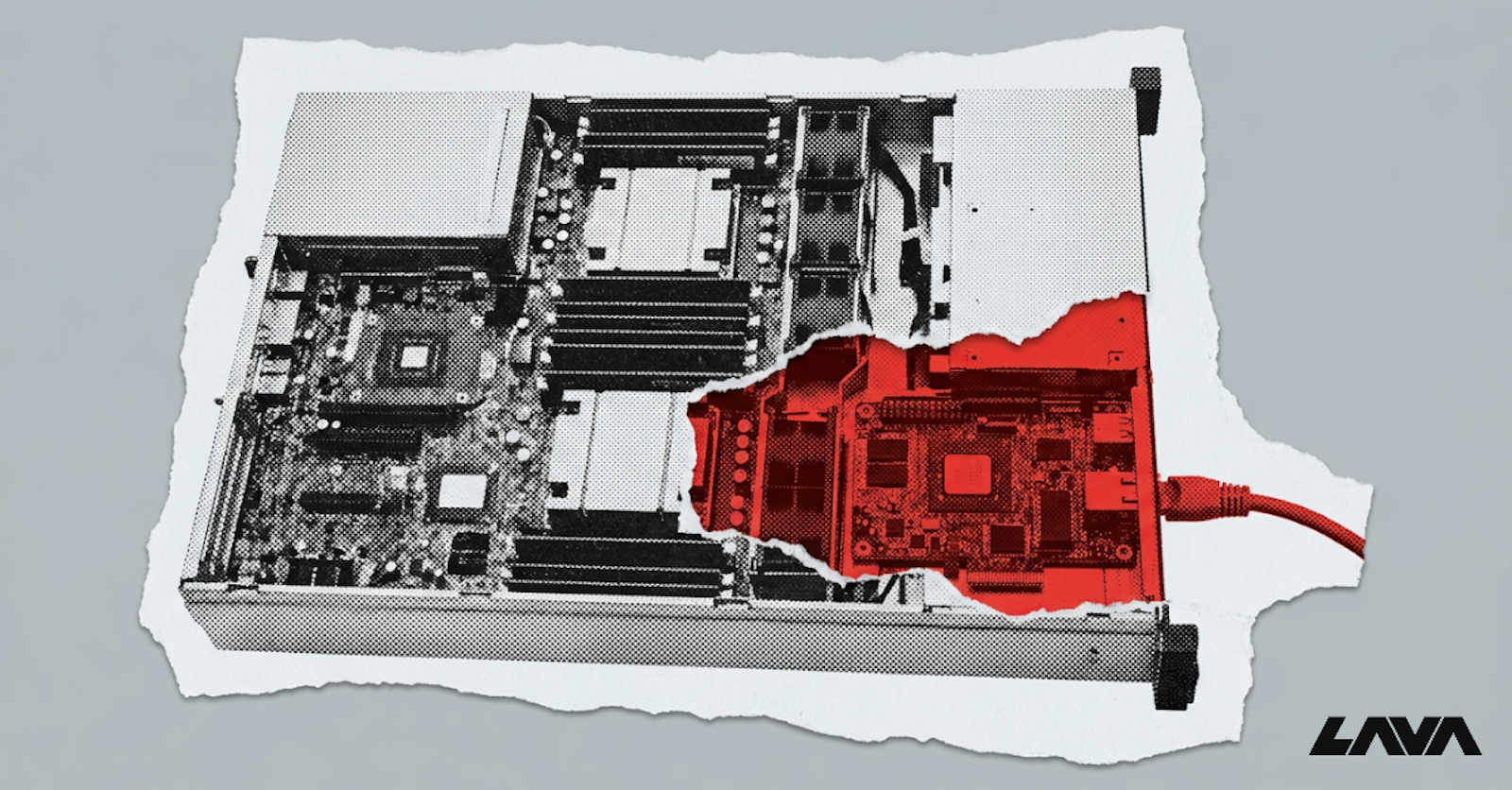
That power is exactly what makes out-of-band management a prime target. A compromised BMC gives an attacker control below the operating system, invisible to endpoint tools and persistent across reimages. This article explains how this access works, why attackers value it, where it usually breaks, and how to lock it down.
Out-of-Band Management in Day-to-Day Data Center Operations
Out-of-band management means controlling a server through a channel separate from its main operating system and production network. The BMC is the heart of it. It is a small system-on-chip on the motherboard, with its own processor, memory, firmware and network port.
Because the BMC runs on its own, it keeps working when the host operating system has crashed, is being reinstalled or has been taken over by an attacker.
Vendors brand their BMCs differently: Dell iDRAC, HPE iLO, Lenovo XClarity Controller and Supermicro's IPMI interface. Dell and HPE build their own, while many other vendors run firmware such as AMI MegaRAC or OpenBMC. Through the BMC, operators can:
Power servers on, off or cycle them remotely
Open a remote console (KVM) and mount virtual media to reinstall the OS
Update BIOS and component firmware
Monitor temperature, fans, power and hardware faults
BMCs are reached over the management network, usually a dedicated VLAN or physical network separate from production traffic. Operators connect using IPMI, the older standard, or Redfish, the modern REST API. In large fleets, automation tools talk to thousands of BMCs at once to provision and repair servers.
In daily work, these tools keep large fleets running. A technician can recover a frozen server from another country, a provisioning system can rebuild hundreds of nodes overnight, and hardware alerts reach the operations team before users notice a fault.
What Makes BMCs an Attractive Target
From an attacker's point of view, a BMC offers more than the server's operating system:
Total control. The BMC can read and write server memory, change firmware, mount boot media and power cycle the host.
Invisibility. EDR and OS logs cannot see what happens on the BMC.
Persistence. Malware on the BMC survives OS reinstalls and disk replacement. The iLOBleed implant, found in the wild in 2021, hid in HPE iLO firmware and wiped servers' disks.
Scale. The out-of-band network often connects every BMC in a data center. One foothold can reach hundreds or thousands of servers.
Weak defenses. BMCs run older software stacks, are patched rarely, and are often left with default settings.
For a well-resourced attacker, these traits make the BMC an ideal place to hide. It offers control of the hardware, a view of everything the server does, and very little chance of being found.
Recent vulnerabilities show the risk is real. In June 2025, CISA added an authentication bypass in AMI MegaRAC BMC firmware (CVE-2024-54085) to its Known Exploited Vulnerabilities catalog. Lava's research team has also shown how exposed BMCs can be taken over at scale. see How We Hacked Thousands of Data Centers in Minutes Using a 20-Year-Old Vulnerability.
Common Weaknesses in IPMI and Redfish Deployments
Most BMC compromises start with configuration, not zero-days. Common issues include:
Default or shared credentials. Servers ship with factory passwords, and many fleets reuse one admin account across every BMC.
IPMI cipher zero. Some IPMI implementations allow authentication bypass when cipher suite 0 is enabled.
IPMI hash disclosure. The IPMI 2.0 RAKP protocol leaks password hashes to anyone who asks, allowing offline cracking. This is a design flaw that cannot be patched, only mitigated.
Internet exposure. Internet scans still find tens of thousands of BMC interfaces reachable online - a May 2026 scan by Lava's research team counted 36,872.
Over-privileged accounts. Read-only or monitoring accounts that can still change settings. See How a Read-Only Account Could Give Hackers Control of Network Management.
Unpatched firmware. BMC firmware is updated separately from BIOS and is often years behind.
Weak Redfish setup. Redfish is more secure by design, but self-signed certificates, basic authentication over HTTP and unused services left on weaken it.
These issues compound. A leaked IPMI hash cracks to a password that is reused across the fleet, and that password opens every BMC on a flat out-of-band network.
The Shared Management Plane Problem in Neoclouds
Neoclouds rent bare-metal GPU servers to many customers. That model creates a specific risk: the provider's management plane touches every tenant's hardware.
In a typical setup, the provider's BMC network and provisioning systems connect to all servers, regardless of which tenant is using them. If an attacker compromises one BMC, for example through a server previously rented by a malicious tenant, they may reach the provider's BMC network and from there other tenants' machines.
Other shared elements add risk:
Server reuse. Bare-metal servers move between tenants. A tenant who planted malicious firmware on the BMC can wait for the next customer.
In-band access to the BMC. Many BMCs accept commands from the host operating system through a local interface. A tenant with root on their server may be able to talk to the BMC directly.
Shared automation credentials. Provisioning tools often use one credential for every BMC in the fleet.
Who owns these risks is often unclear in provider contracts, a gap we cover in Rethinking the Shared Responsibility Model for NeoCloud Security.
For neocloud customers, the security of rented GPU capacity depends on controls they cannot see - see Neocloud Security: You're Trusting Your Provider More Than You Should. For providers, proving that the management plane is isolated is becoming a requirement in enterprise security reviews.
Locking Down the Out-of-Band Network
Strong BMC security comes down to a few core steps:
Isolate the management network. Keep BMCs on a dedicated network with no route to the internet or tenant networks. Access it only through hardened jump hosts or a management VPN.
Enforce strong, unique credentials. Replace default passwords, use unique credentials per BMC, and integrate with central identity and MFA where supported.
Disable legacy protocols. Turn off IPMI over LAN where Redfish can replace it. If IPMI must stay, disable cipher zero and restrict access tightly.
Block in-band BMC access from the host operating system on multi-tenant servers.
Patch BMC firmware on its own schedule, tracking advisories from each vendor.
Verify firmware integrity to catch implants, especially when servers move between tenants.
Monitor continuously. Log BMC logins and configuration changes, and alert on unusual activity.
Combined, these steps turn the management plane from the weakest link into a monitored, controlled part of the infrastructure.
Start with visibility. Many teams cannot say how many BMCs they run, which firmware versions they carry or who can log in to them. A current inventory of every management interface, with its exposure and credentials, shows where to begin.
FAQs
Can out-of-band management work during a power outage?
Only if the BMC still has power. BMCs run on standby power, so they work when the server is off but plugged in. During a full facility outage, the BMC goes down too unless backup power or UPS systems keep the rack and its management switches running. Many data centers put this gear on protected power for this reason.
Is IPMI still used in modern servers?
Yes. Most servers still support IPMI for compatibility with older tools, and many fleets rely on it. However, the industry is moving to Redfish, which uses HTTPS and modern authentication. Security guidance recommends disabling IPMI over LAN where possible, because some of its weaknesses are built into the protocol and cannot be patched.
Does BMC firmware need separate updates from BIOS?
Yes. The BMC and the BIOS or UEFI are separate firmware images with separate release schedules and advisories. Updating one does not update the other. Teams should track both versions for every server and include BMC firmware in their vulnerability management process, since BMC flaws are often more exposed than BIOS flaws.
Can a compromised BMC survive a server reimage?
Yes. Reimaging rewrites the server's disks, but the BMC has its own flash storage that the reimage never touches. Malware on the BMC keeps running and can even reinfect the newly installed operating system. Recovering requires reflashing the BMC firmware from a trusted image and verifying its integrity afterward.
Is out-of-band management required for remote data centers?
In practice, yes. Remote and edge sites often have no staff on site, so out-of-band access is the only way to recover a server that will not boot or has lost network access. Without it, every failure means a site visit. That makes securing remote management channels especially important at unstaffed locations.